Chapter 1
The day we're not there
In The Missing Date, we built a grooming shop's system around one rule: if Jaddi's paperwork doesn't say when his rabies shot expires, the system won't guess. He stays "not cleared" until the shop has the real certificate.
That refusal protects the shop. But a refusal on its own just stops the line. The groomer at the counter sees a red box, a dog waiting, and an owner asking why. What do they do next? Who fixes it? Can the manager override it?
A small shop has no IT department and no trainer. When we hand the system over and leave, the only thing still in the room is what we wrote down.
So the real question isn't whether the system works. It's whether the shop can run it without us.
Chapter 2
Three readers, three manuals
The people who touch the system don't share a job, so they shouldn't share a manual. The first page asks one question, which manual is yours?, and sends each reader to the one written for them.
Groomer manual
13 procedures. Signing in, checking in a dog, adding vaccine paperwork, booking a groom, and recording the haircut.
Manager manual
11 procedures. Opening Admin, verifying shots typed in without a copy, second looks at hand checks, and the staff list.
Technical systems manual
9 procedures. Starting the app, running the database tests, backups, publishing, and the AI that reads paperwork.
Every procedure has a number, like GRM-02 or MGR-04, and follows the same order: what it's for, who does it, what must already be true, the steps, what the screen shows when it's done, and what to do if it isn't.
Chapter 3
Written for someone who has never seen it
The standard we held every page to: leave nothing for the reader to work out. If a step makes them guess where a button is, what it's called, or what happens next, the step isn't finished.
Weak
Search for the dog by its name or the owner's name.
Strong
- Click the Dog or owner name search box on the left side of the Check-in screen.
- Type the name of the dog, or of its owner. The list below the search box shows only the dogs that match.
One action per step. Every button named exactly as the screen names it. Every step says where to look and what you'll see after. It reads slower than a quick tip, and it's the version a new hire can follow on their first morning.
Chapter 4
The same rule, said three ways
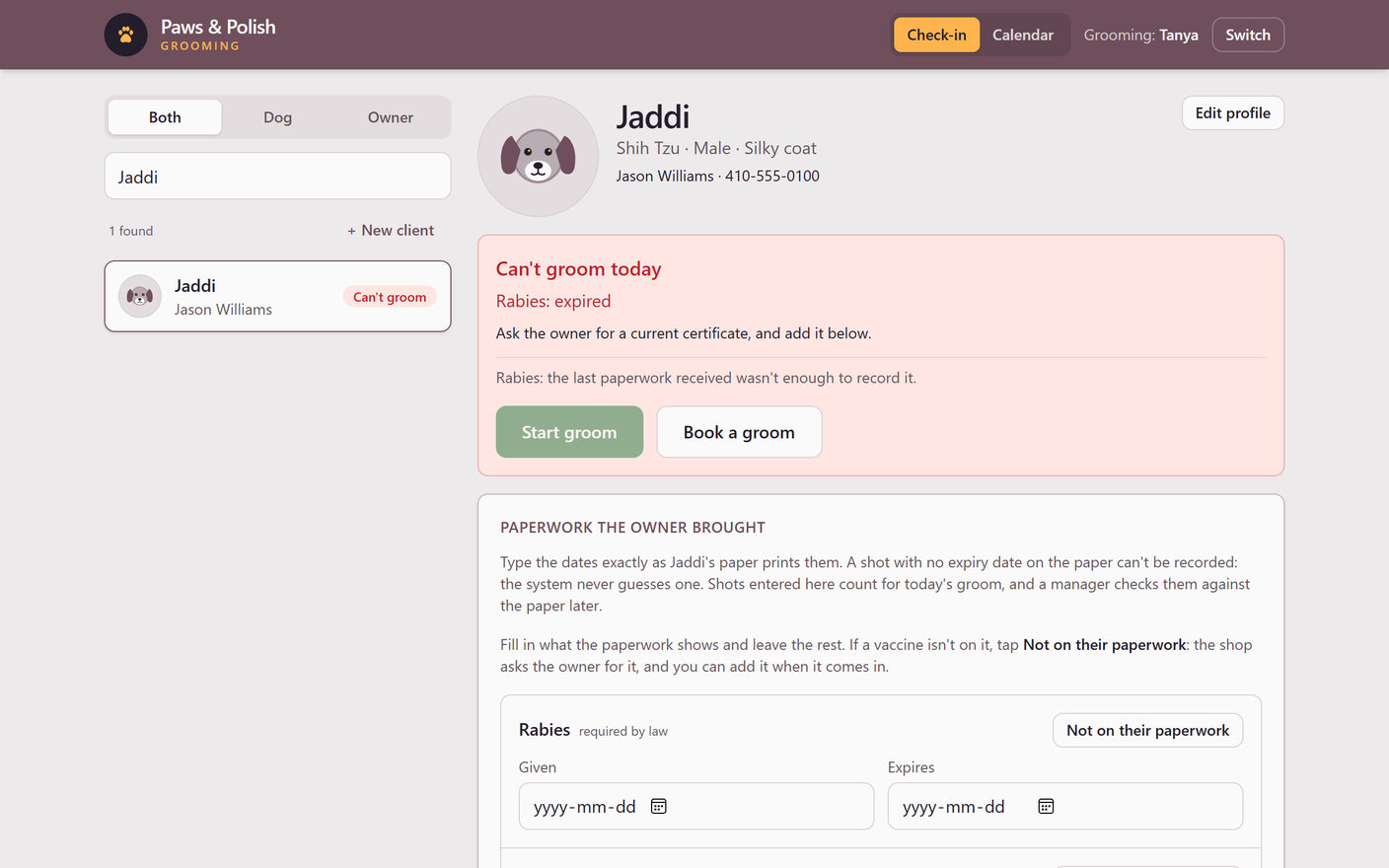
Back to Jaddi. The rule that his shot can't be recorded without an expiry date exists in three places, and each one speaks to a different reader.
- In the database, as rule GR021: a shot with no expiry date can't go on a vaccination record. Nothing can route around it.
- On the screen, in plain words, right where the groomer types the dates.
- In the manual, in procedure GRM-06, with what to do instead.
SOP GRM-06 · Groomer manual · Add vaccine paperwork
- Click Expires and enter the expiry date, exactly as the paper prints it.
A shot with no expiry date on the paper cannot be recorded. The system never guesses one. Leave that vaccine's dates empty.
- For each vaccine that is not on the paperwork, click Not on their paperwork beside its name. The line changes to Asked the owner · reminder in a week, and the shop asks the owner for it.
And when the red box does appear, the Check-in procedure has a section titled with the screen's exact words, Can't groom today, that says what it means and what to do. Every section is numbered, so a manager can text a groomer a link straight to the fix.
Chapter 5
A manual that can't fall out of date
Most manuals are right on the day they're written. Then the software changes, and the manual quietly becomes fiction. We built this one so that's hard to do.
- The rules list is read from the database. Every time the manual is built, it pulls all 42 shop rules straight from the database files. If a rule is added, the manual has it.
- The pictures are retaken by one command. It opens the app, clicks through to each screen, and saves every picture over the one the manual already shows.
- The rules are proven, too. The Run the database tests procedure walks the person who looks after the system through proving that every rule still says no, before any change goes live.